
Pandora Inpoint Calculator
Work out the in- and outpoint percentages you need to trim media on a Pandora’s Box media server and similar systems.
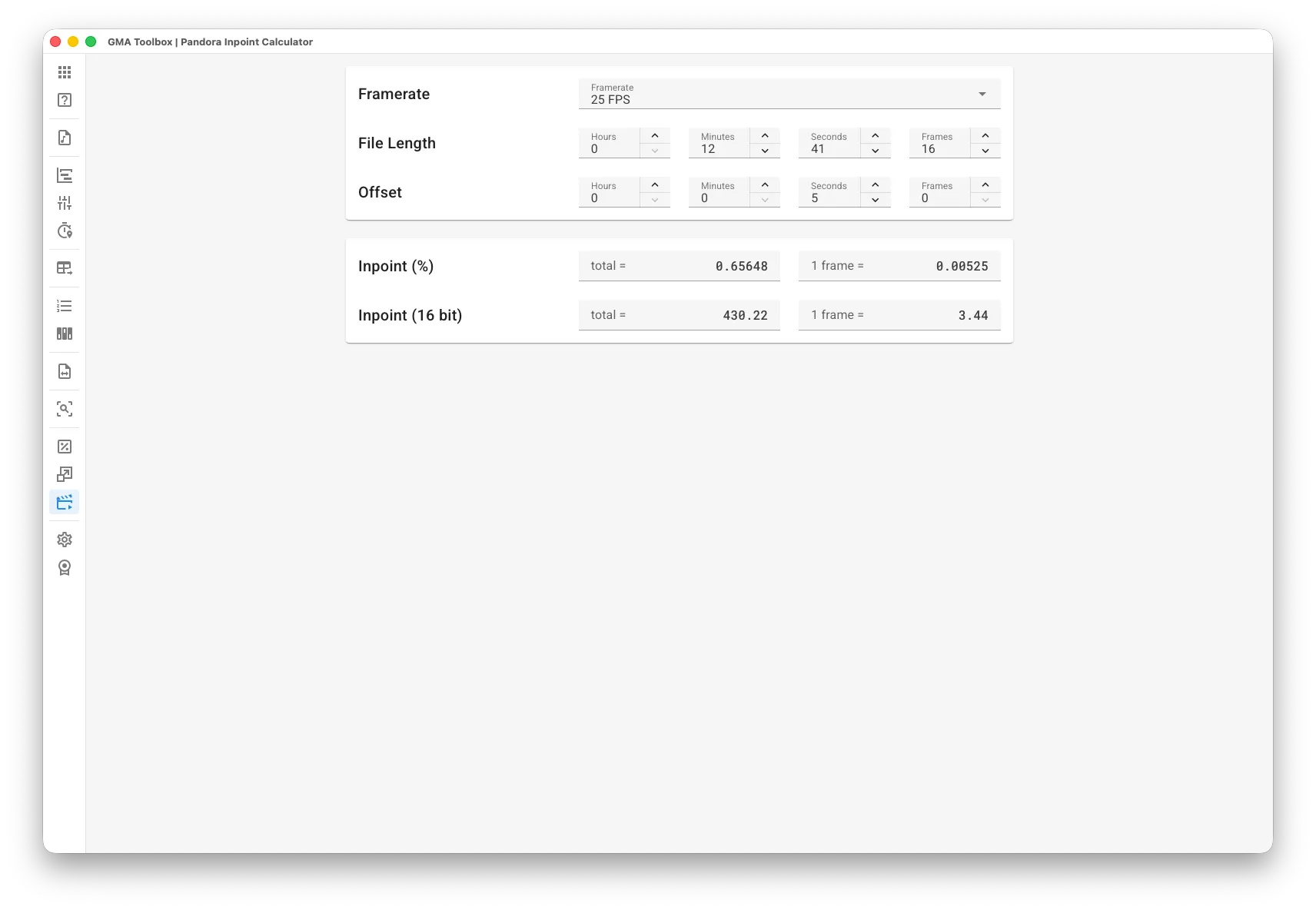
What it does
Section titled “What it does”- Turns frames into percent
Pandora’s Box fixtures on a lighting console want percentage and decimal values. This tool converts your frame offset into both. - Removes the guesswork
Trim a clip without the adjust-play-check-repeat loop. To cut the first 5 frames, enter 5 in the Frames field of the offset and read the inpoint.
How to use it
Section titled “How to use it”- Enter the original clip length:
- Open the clip in the Pandora’s Box Content Inspector.
- Read its original length and framerate.
- Enter both in the calculator.
- Enter the offset you want:
- Any point inside the clip works.
- Read the result:
- The inpoint values appear as you type.
The screen explained
Section titled “The screen explained”- Framerate: the framerate of the clip.
- File Length: the original length of the clip, in hours, minutes, seconds and frames.
- Offset: the point you want to start at, in hours, minutes, seconds and frames.
Output
Section titled “Output”- Inpoint %: the inpoint as a percentage.
- Inpoint 16 bit: the inpoint as a 16 bit decimal value.
Both also show the value of one frame, as a reference.